Stocks PM app logoStocks PM
Stocks PM
FeaturesPricingAboutContactSign inSign up

Transform your portfolio into a system.

Manage, allocate, and invest with precision.

Start freeAlready have an account?

Performance

Your book vs benchmark

+12.4% vs benchmarkYTD · illustrative
DrawdownRebalanceYouS&P 500
  • Overweight Tech (+18% vs target)

  • 3 names → 72% of YTD return

  • Cash at ~1.8% vs policy target

40%
22%
16%
12%

MIX_REBAL · pending

CORR_WINDOW 60d · off

Allocation

How the book is split

Illustrative · not advice

  • 40%Tech
  • 22%Bonds
  • 16%Intl.
  • 12%Cash
  • 10%Other

+12.4% vs benchmarkYTD · illustrative

In the app

Drift vs targetsCost basis & lotsCSV in / outRules & prompts
Allocation · Watchlist · Fundamentals•Allocation · Watchlist · Fundamentals•Allocation · Watchlist · Fundamentals•Allocation · Watchlist · Fundamentals•
Diversification · Position sizing · Cost basis · Rebalancing•Diversification · Position sizing · Cost basis · Rebalancing•Diversification · Position sizing · Cost basis · Rebalancing•Diversification · Position sizing · Cost basis · Rebalancing•

AppAiTech

Built for everyday investors

Stocks PM combines rules-based portfolio optimisation, backtesting simulation, and real-time market data into one accessible web app — companion to the Stocks PM iOS app.

⚠️ Educational & practice trading only. Not financial advice. No real money or actual trades involved.

About usContactPrivacy policy
📊Real-time dashboard
⚙️Optimisation engine
📈Backtesting & simulation
⭐Watchlist management
📍S&P 500 comparison
🎯Smart filtering

Recommendations

Rules-first signals per position

Add, trim, or wait—from your targets, averages, and context.

Live signalRules
WAIT_ADD

Near your next buy zone.

Next

$142

MA 50

$138

Score

77

Sentiment on headlines—context for your rules.

Portfolio intelligence

Allocation at a glance

Sleeves and rollups for the full book.

By sleeve

  • Tech38%
  • ETFs24%
  • Finance18%
  • Other20%

By value

0%

News

Headlines & sentiment

Same layout as the app: filters, search, and bullish / bearish / neutral tags on every story.

View

All24
Macro8
Portfolio16

Search

Symbol, headline…

3 articles (demo)

  • AAPLNeutral

    Supply chain update shifts margin outlook

    Reuters·3h ago
  • MacroBearish

    Fed path and yields in focus ahead of data week

    Macro·5h ago
  • NVDABullish

    Data-center demand narrative holds attention

    Bloomberg·Yesterday

Personalized management

Parameters that stay in step

Thresholds follow your book as it changes—rules-based hints, not autopilot.

Portfolio-awareYour rules drive the mathWeb + iOS parity
  • 01Real holdings context

    Grounded in your book

    Everything keys off the positions, cash, and watchlist you actually track—not a demo portfolio or static template.

  • 02Dynamic thresholds

    Parameters that follow you

    Targets, moving averages, and bands stay tied to your allocation as it shifts, so the math behind hints doesn’t go stale.

  • 03Rules-first clarity

    A clearer strategy frame

    See a consistent, rules-based read on adds, trims, and when to wait—built to support disciplined trading decisions you still control.

Adaptive parameters

Strategy follows your book

In sync

Your book→Your rules→Hints

  • Targets & bands

    Buy, trim, and wait zones reflect the weights and averages you set.

  • Recalibrated as you trade

    As sizes and cash change, the framework updates so signals stay in context.

You trade. Parameters stay aligned with your portfolio—not autopilot.

Beat

1 / 4 · Recommendations

0%

Down advances the tour; up rewinds. At the end, one more down continues below. Coming back up: rewind the tour before you can reach the hero again.

Begin here

A short path from empty account to live intelligence

Three deliberate steps—each one unlocks the next—so the product never feels like a blank dashboard.

  1. Step 01

    Add symbols to your watchlist

    Track what matters before you size a position—enter tickers manually or import a CSV with the same columns as the iOS app.
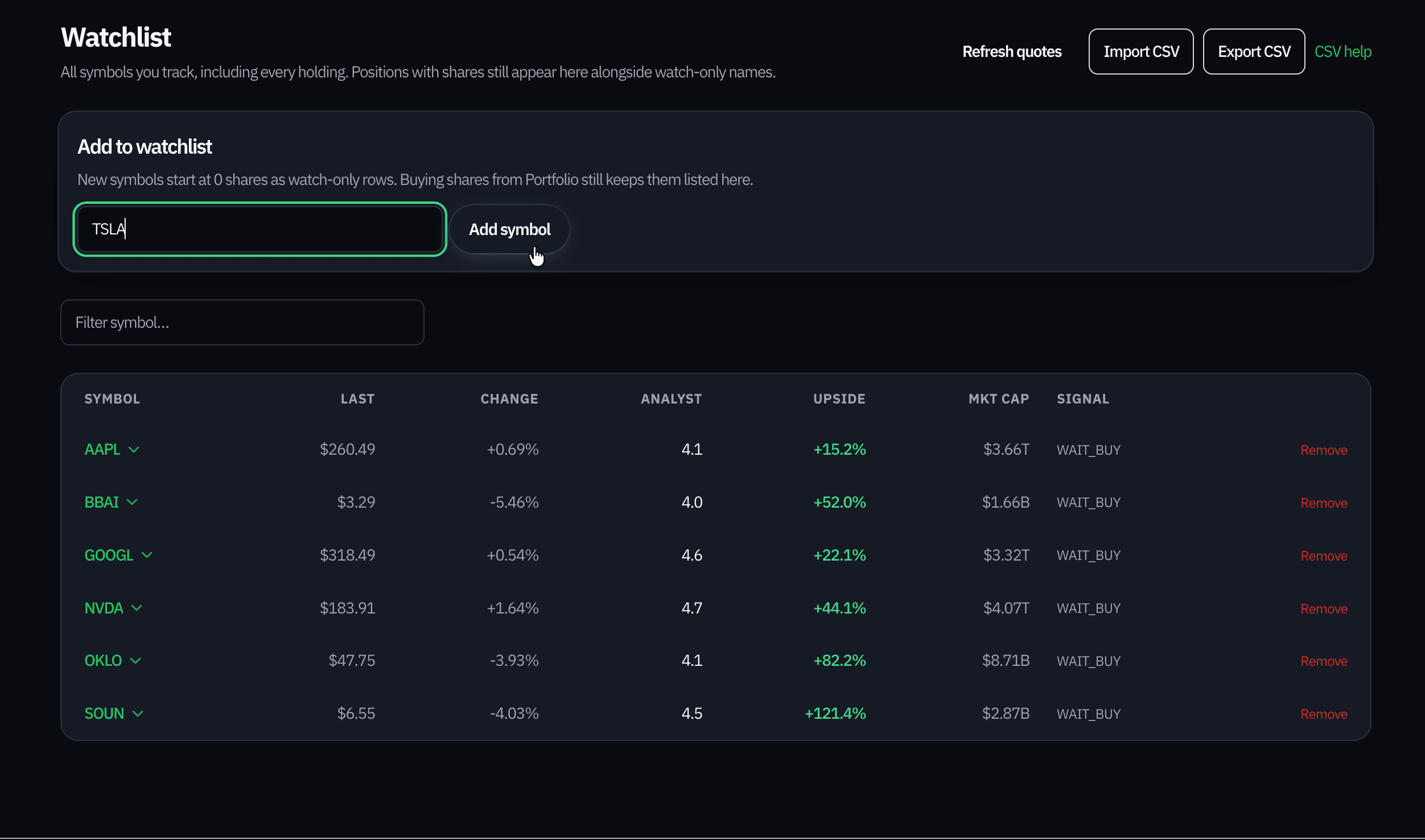
    Watchlist screen showing ticker rows and add-symbol controls.
  2. Step 02

    Record every trade

    Log buys and sells as they happen, or bulk-import history from CSV so cost basis, allocations, and charts stay honest.
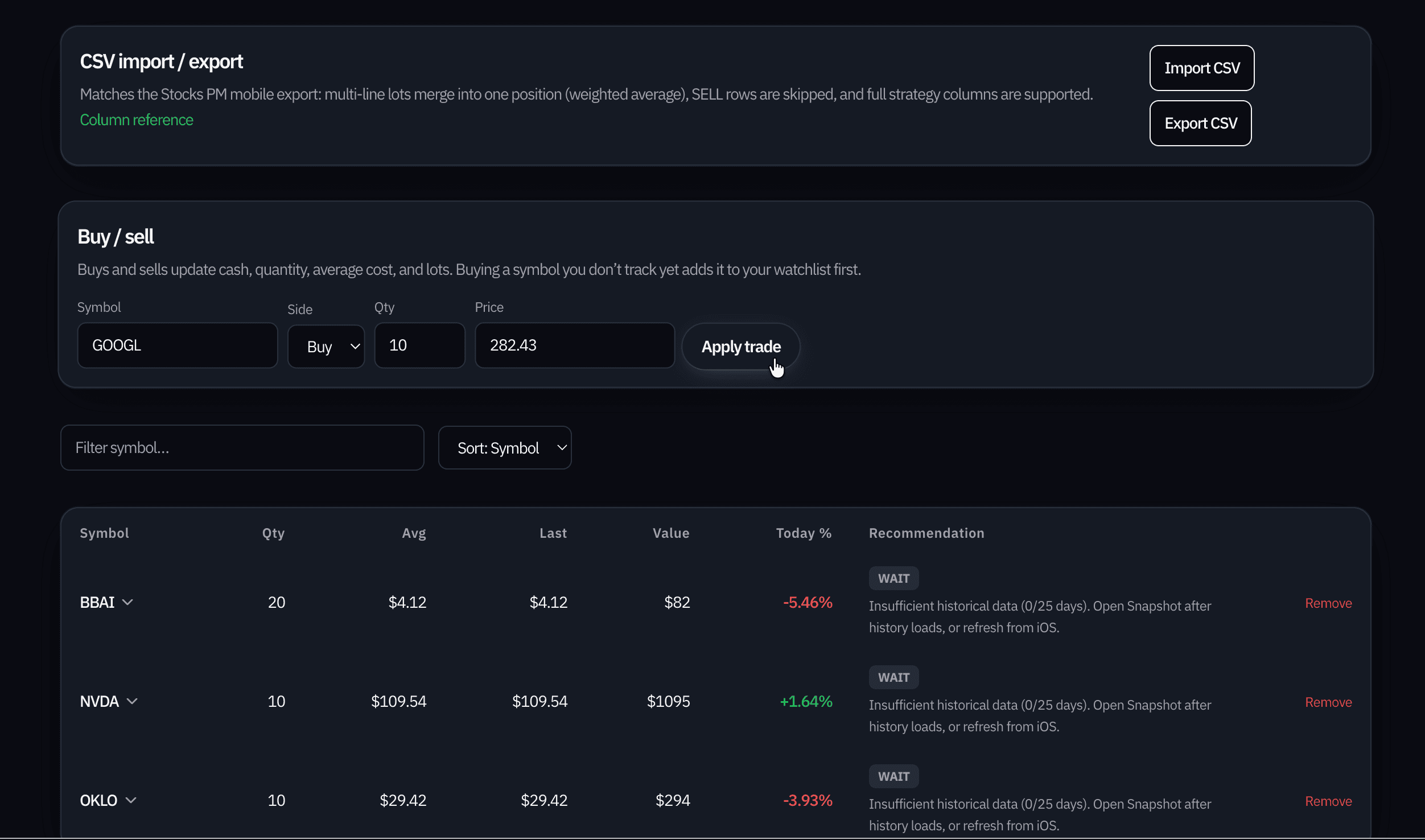
    Portfolio screen with positions, trades, and import options.
  3. Step 03

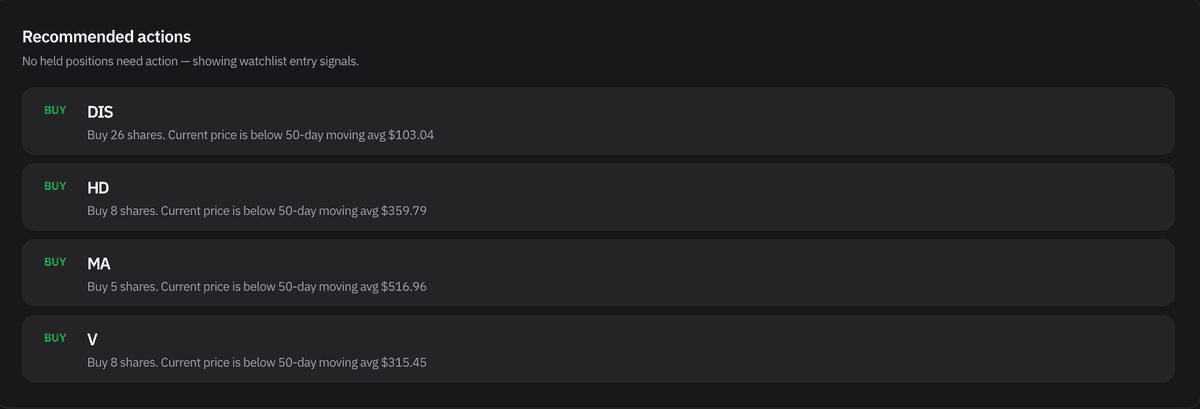
    Receive sophisticated recommendations

    Signals grounded in your book and watchlist—plain-language rationale, suggested sizing context, and a feed that switches tone when your portfolio is already in good shape.
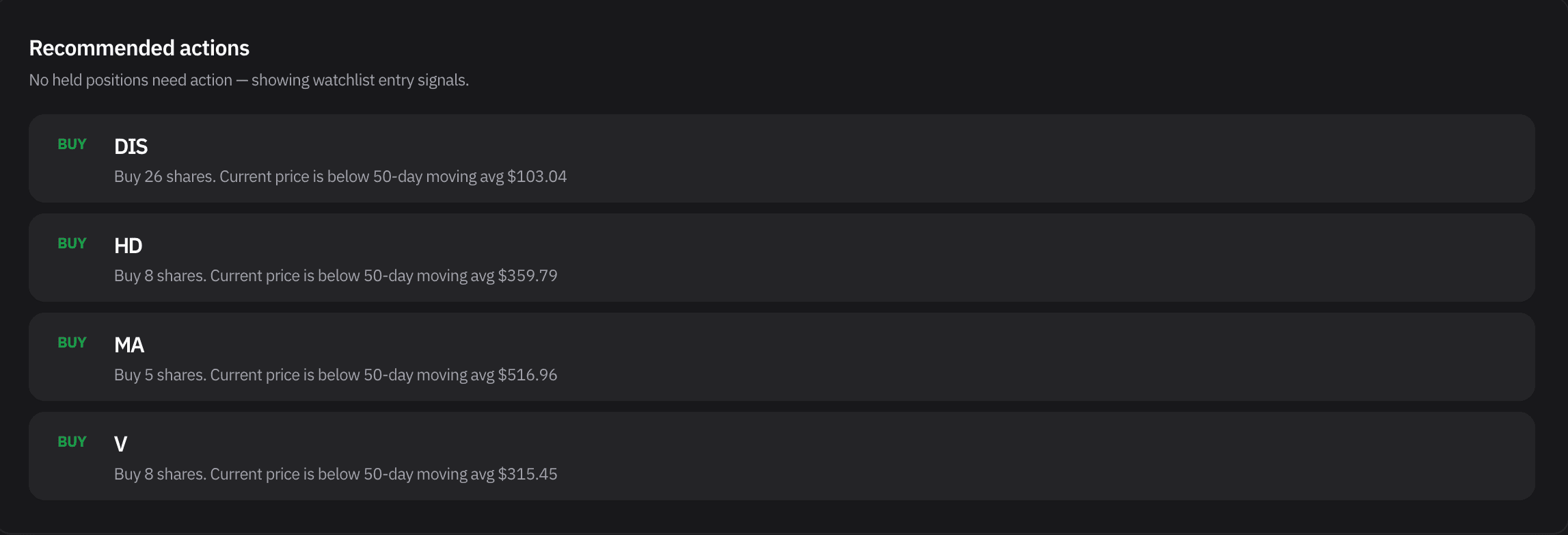
    Recommended actions list with buy suggestions and explanatory copy.

Outcomes

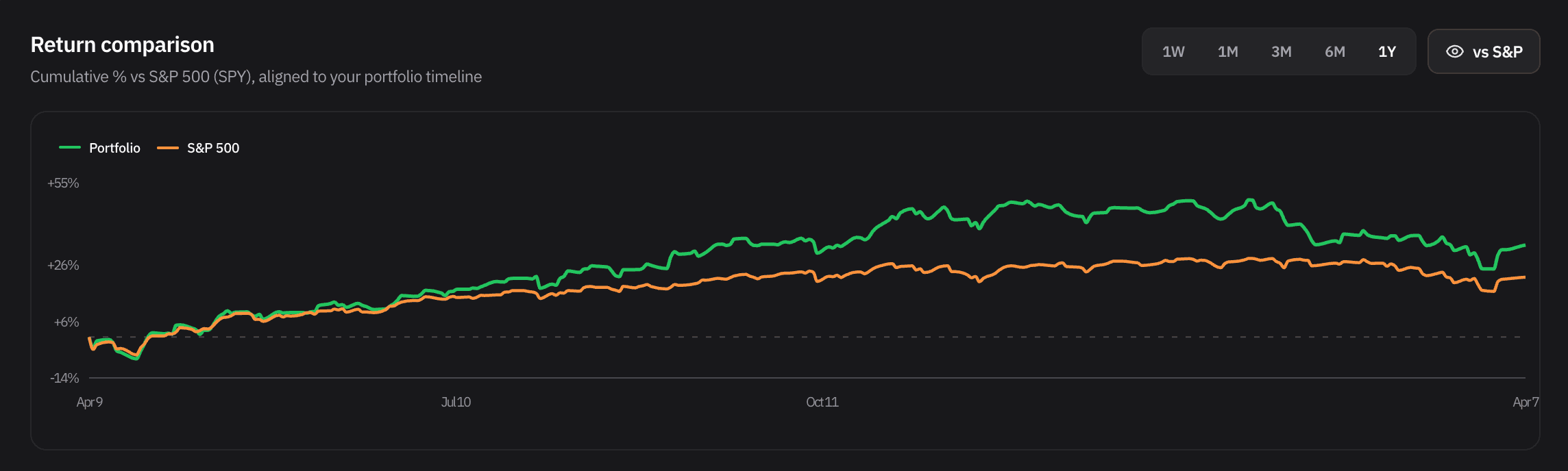
Growth from a real account using these recommendations

Past performance does not guarantee future results. The curves below are from an actual book followed in the app—not a mock ticker—so you can see how net worth and benchmark-relative return evolved together over time.
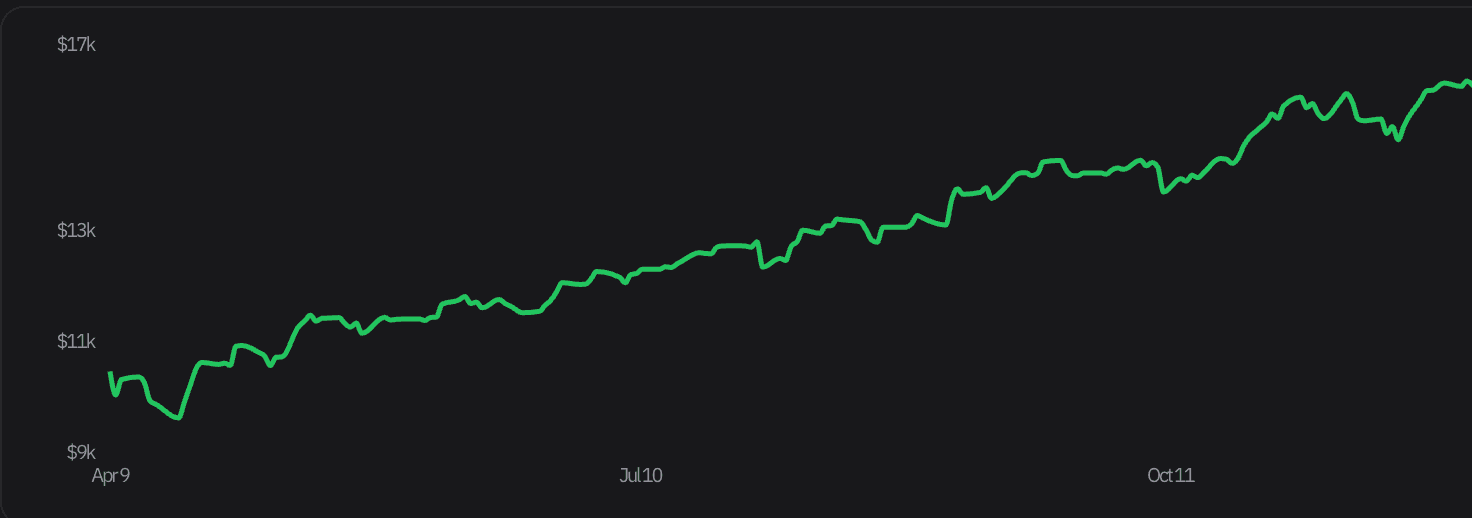
Line chart of portfolio net worth rising over several months.
Chart comparing portfolio cumulative return to S and P 500 over one year.

Net worth over time

Total portfolio value in dollars—useful for feeling compounding between trades and after imports refresh.

Return vs S&P 500

The same account on a percentage basis against SPY on your calendar—so “keeping up” is visible at a glance.

Powerful features built for investors

📊

Real-Time Dashboard

Track your portfolio with live market data. Monitor holdings, gains/losses, and performance metrics all in one place.

⚙️

Optimization Engine

Advanced optimization analyzes your portfolio and delivers data-driven buy/sell/hold recommendations tailored to your investments.

📈

Backtesting & Simulation

Test investment strategies against years of historical data with paper trading. Practice risk-free before committing capital.

⭐

Watchlist Management

Monitor stocks before investing. Create custom watchlists and analyze multiple symbols with advanced filtering.

📍

Portfolio Comparison

Compare your portfolio performance against S&P 500 benchmarks. Understand how you're doing versus the market.

🎯

Smart Filtering

Organize stocks by actionable recommendations, holdings, or custom filters. Focus on what matters most for your strategy.

See Stocks PM in action

Manage your portfolio, get personalised recommendations, and backtest strategies—all from one app.
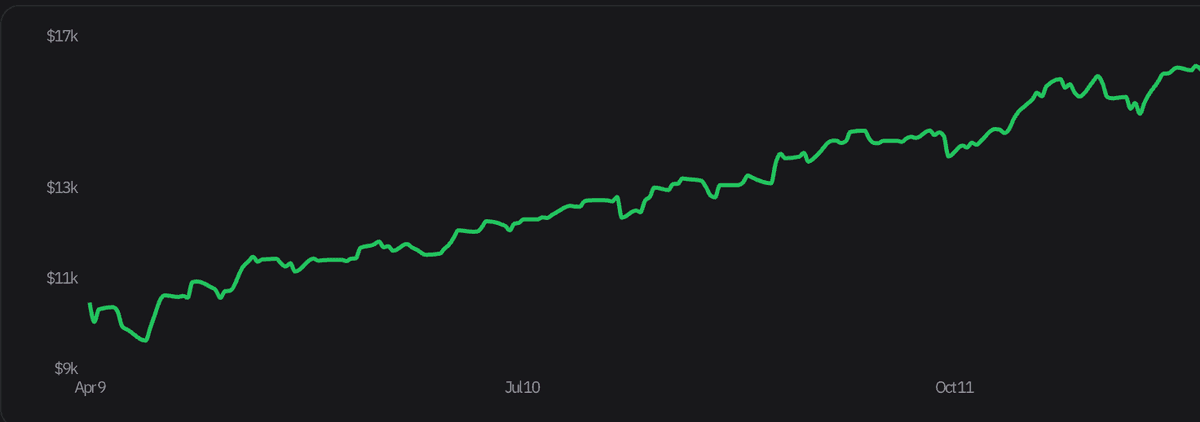
Portfolio Performance
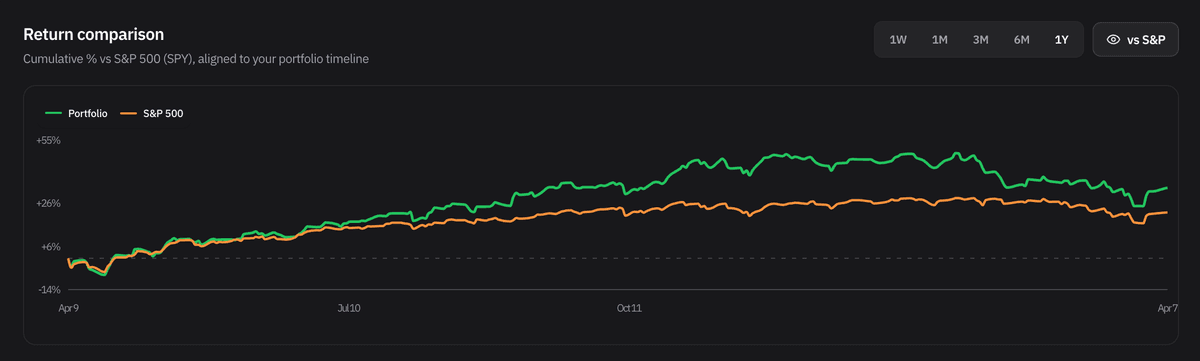
Portfolio Performance

vs. S&P 500

vs. S&P 500

Recommendations

Recommendations

Simple, transparent pricing

Start free for 3 months—no credit card required.

3 months
Free Trial
Free
Full access, no card needed
  • ✓Full Dashboard & Portfolio
  • ✓Optimization Engine
  • ✓Backtesting & Simulation
  • ✓Up to 100 stocks
  • ✓Real-time market data
Get started
Auto-renews
Monthly
$3.99
per month
  • ✓Everything in Free Trial
  • ✓Unlimited stocks
  • ✓Advanced analytics
  • ✓Priority support
  • ✓Continuous updates
Get started
Save 27%
Yearly
$34.99
per year
  • ✓Everything in Monthly
  • ✓27% savings vs monthly
  • ✓Dedicated support email
  • ✓Early feature access
  • ✓Annual portfolio report
Get started

Frequently asked questions

How secure is my portfolio data?

Your data is encrypted with industry-standard AES-256 encryption in transit (HTTPS) and at rest. We never sell your data.

Can I export my data?

Yes! You can export your portfolio holdings as a CSV file at any time. Your data belongs to you.

Do I need technical knowledge?

No. Stocks PM is designed for everyone, from beginners to experienced investors, with clear explanations at every step.

Can I cancel my subscription anytime?

Yes. Cancel anytime from the Profile settings page—no questions asked.

Does Stocks PM execute trades automatically?

No. Stocks PM provides recommendations and analysis only. All trades are executed by you through your brokerage.

What data sources does Stocks PM use?

We pull real-time and historical stock data from trusted financial data providers including MarketStack and Yahoo Finance.

Can I use Stocks PM on multiple devices?

Your portfolio syncs across all devices. Sign in on any browser and access your data instantly.

Get started

No card required for the basics.

Create accountSign in

No trades or money movement. Educational only—not investment advice. Companion to the Stocks PM iOS app.

Stocks PM

Smart portfolio optimisation & analysis. Companion to the Stocks PM iOS app.

© 2026 AppAiTech. All rights reserved.

Company

  • About us
  • Contact

Legal

  • Privacy policy
  • Terms of service